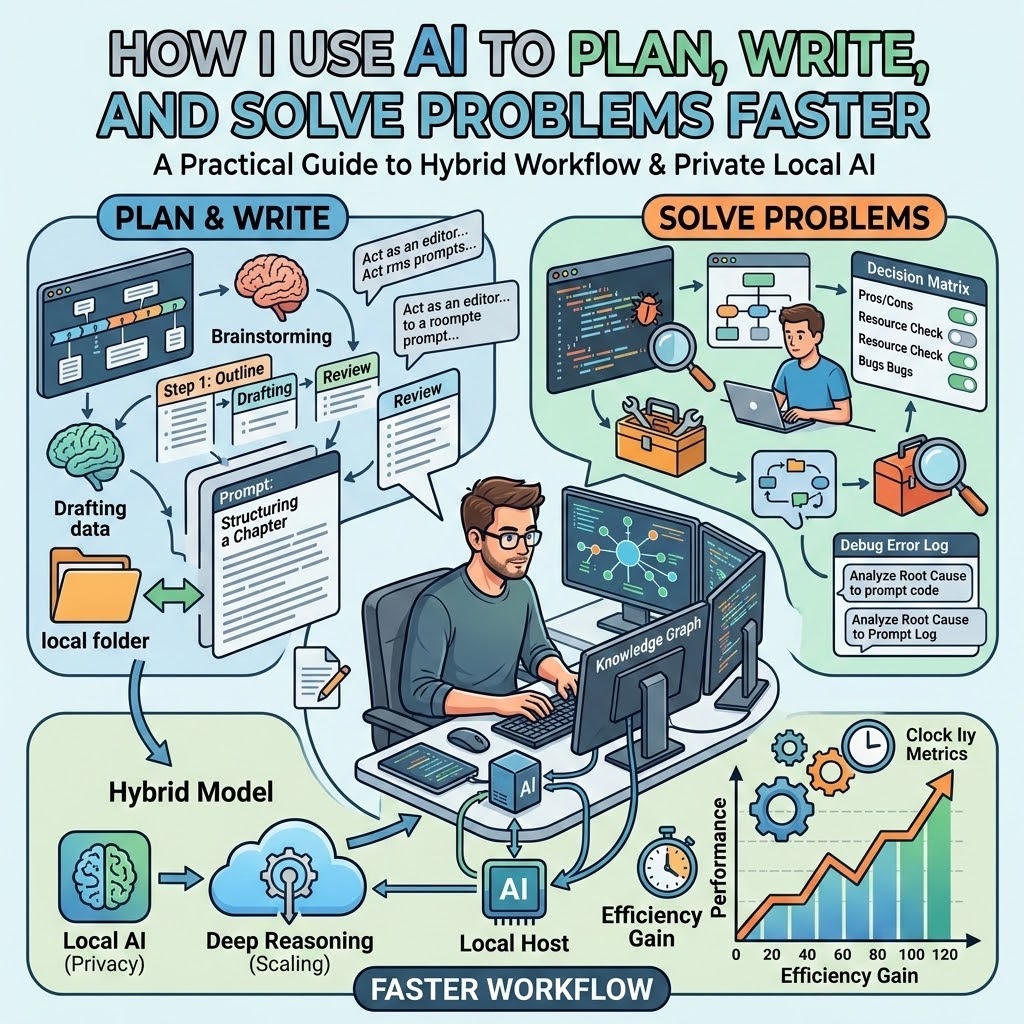
I spent years treating AI like a magic wand. I wanted it to write every paragraph, solve every coding bug, and plan every business move while I sat back and watched the results roll in. But what I found was that the most powerful AI was not the one that wrote the best prose; it was the one that helped me organize my own scattered thoughts. Today, my workflow is different. I use AI not to bypass thinking, but to accelerate it. The key for me was shifting away from an "all-cloud" approach to a hybrid one that prioritizes privacy, control, and clarity over raw power.
In my experience, the biggest bottleneck isn't the AI model itself-it is the friction caused by constantly sending unfinished, private, or messy ideas to a remote server. By setting up a private AI workstation that lives entirely on my computer, I have reclaimed my creative space. Whether you are a beginner looking to automate daily tasks or a professional needing a private space to test ideas, here is how I use AI to plan, write, and solve problems faster.
The core of my productivity system is the "Private First" rule. When I have a new project, a raw journal entry, a sensitive business note, or an unfinished draft, I start locally. I use an app like Ollama to run a small model directly on my computer. This keeps my early thoughts off the internet entirely.
Why start local? Because early work is often ugly. A first plan is usually chaotic; a first argument is often blunt; a first decision list may contain client details I am not ready to expose to a cloud platform. When I work locally, I don't have to worry about platform filters blocking my train of thought or corporate policies changing overnight. I can ask mature questions, explore unpopular arguments, or troubleshoot blunt technical issues without a "disclaimer parade" interrupting me.
Once my thoughts are organized, summarized, or outlined, I decide if I need more power. If I need fresh research, web access, or the immense reasoning capability of a massive cloud model, I copy the refined, anonymized text and move it to the cloud. By the time I hit the cloud, my material is already polished. I have saved myself time, kept my privacy intact, and used the right tool for the right stage of the work.
Most AI tutorials give you massive, paragraph-long prompts that are exhausting to write. In my testing, I found that small models-the kind that run on your own hardware-are actually easier to direct if you use a strict formula. I rely on a four-part structure I call the Prompt Formula: Role, Task, Format, and Limit.
Here is the standard formula I use for almost everything:
For example, instead of asking an AI to "write a plan for my project," I use: "Act as a plain English assistant. Turn these notes into five steps. Use a checklist. Do not add assumptions." This works because it reduces the model's tendency to wander or hallucinate. It focuses the output on what I actually need, which saves me time on editing.
Even with a good prompt, things break. In my experience, troubleshooting a local AI setup is rarely about the computer's soul; it is usually about the balance between the model size and the machine's resources. When an AI answer becomes slow, incoherent, or repetitious, I follow a quick troubleshooting sequence.
First, I check my prompt length. If I paste a massive document into a small model, it will stumble. I break the task into smaller chunks. Second, I look at the model I chose. If I am running a model that is too large for my available memory, the entire machine will slow down. I switch to a smaller, "beginner" model. Third, I check for "model fatigue." Sometimes, if I ask the same model to do too many different things in one session, it gets confused. A simple restart of the chat clears the state.
If the AI starts giving me "moral lectures" or refusing to answer, it usually means the topic hit a filter. This is where moving that specific task to a local model-one I have more control over-is a lifesaver. Local AI doesn't remove judgment, but it removes the annoying, automated interruptions that kill productivity. I stay responsible for my own verification, but I get to finish my thought.
The most useful way I use AI is for decision-making. I rarely use AI to make the final choice; I use it to clarify the options. Here are two practical examples from my daily workflow.
Example 1: Project Planning. When I am launching a new article series, I have a mess of ideas. I paste them into my local AI. I use my prompt formula: "Act as a project manager. Extract the action items from these notes. Format as a table. Limit to three priorities per week." The AI doesn't launch the project, but it turns my brain-dump into a manageable list in seconds. I then look at that list and decide which tasks are actually realistic.
Example 2: Troubleshooting Technical Issues. If I am stuck on a coding bug or a computer problem, I don't want to type a query into a search engine and sift through ten ads. I paste the error message into my local AI. "Act as a technical troubleshooter. Explain this error in plain English. Give me three possible causes. Do not suggest anything risky." It gives me a starting point. From there, I investigate. It saves me from staring at the problem for an hour without a plan.
This is the difference between a tool that does the work for you and a tool that helps you do the work better. The AI becomes a thinking partner, not a replacement for your own logic.
AI is a tool that requires intention. When you treat it as an extension of your own desk rather than an external oracle, you stop being a user of a service and start being the architect of your own workflow. By keeping the early, private, and messy stages of my work on my own machine, I have not only reclaimed my privacy-I have reclaimed the ability to think clearly without being managed by an algorithm. The simplest setup is usually the strongest one.
Have you tried running a model locally yet? Start with the smallest one available, run your first test, and see how much more control you have over your daily planning.