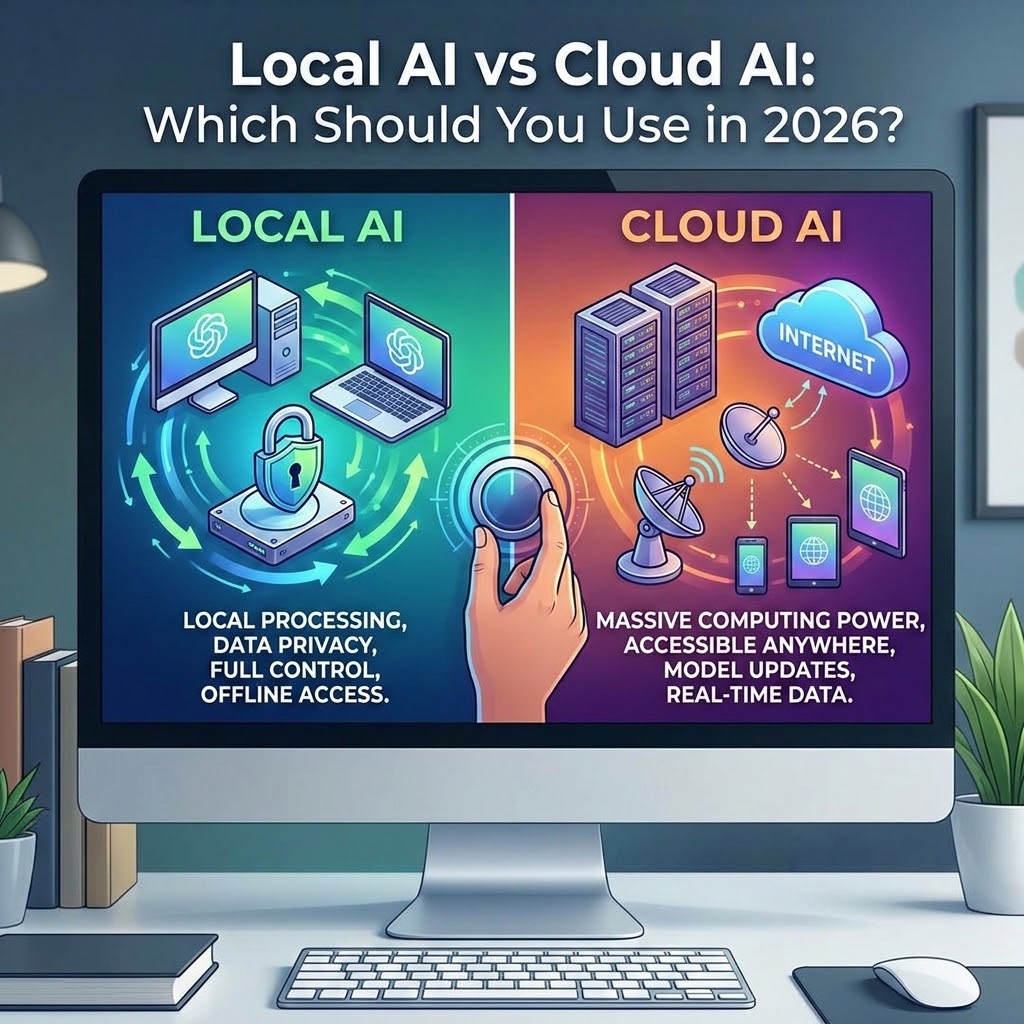
I have spent a significant amount of time testing both local and cloud AI models over the past year, and the question I get asked most often is simple: Which one should I actually use? It is a fair question, especially as the technology advances. For a long time, the answer was just whatever worked best. Now, the choice has become more meaningful. It is about how you want to work, how much privacy you need, and how much control you want over your own digital desk. In my experience, the answer is rarely to pick just one side. Instead, it is about knowing exactly when to use each tool to solve the problem in front of you. This article breaks down how to make that choice without the hype.
To understand the difference, you have to look at where the work happens. Cloud AI is the standard. When you type a prompt into a browser or a web-based chat, that prompt travels over the internet to a massive, remote server farm. A powerful, expensive system processes your request, and the answer is sent back to your screen. It is incredibly convenient. The company handles the heavy processing, the model updates, and the infrastructure. You just get the result.
Local AI flips this arrangement. Instead of sending your thoughts to a remote system, you run the model on your own hardware. You install a tool, download a model file, and the entire conversation happens on your machine. When I disconnect my computer from the internet and ask my local model a question, it still answers. That is the fundamental difference. One happens in a public cloud, and the other happens in your private living room.
I like to think of it this way: Cloud AI is like renting a professional kitchen. It is stocked, powerful, and built for speed, but you are not the only one there, and you do not own the recipes. Local AI is like having a small, private workspace at home. It might not have every commercial appliance, but it is yours. You control the door, you decide what stays, and you know exactly who is in the room with you.
Privacy is the first reason local AI gains so much attention. When I paste a sensitive project draft, a messy business idea, or personal financial notes into a cloud service, I am trusting that company to handle my data. Most large providers are careful, but the fact remains: my private thoughts are leaving my computer. That is fine for a recipe or a public fact check. It feels different for an unfinished thought that I am not ready to share with the world.
Control is the second, often overlooked, factor. Cloud services can change. A model you rely on might become less helpful, or a usage limit might appear exactly when you have work due. Cloud filters can also be blunt instruments. Sometimes, when I am trying to troubleshoot a complex or mature topic, a broad safety filter will shut down the conversation or lecture me. Local AI tools, depending on your setup, often provide more room to explore before a filter intervenes.
However, you should not mistake local AI for a magic shield. It is not automatically "safer" if your computer is full of security holes, synced folders that upload everything to the cloud, or outdated software. Local AI gives you a foundation for privacy, but you still have to build the house properly. And there is a cost: your computer has to do the heavy lifting. If your machine is older or short on memory, a local model will feel slower and less capable than a top-tier cloud system.
I do not believe in abandoning cloud tools. That would be like refusing to use a microwave because you have a campfire. Cloud AI has clear advantages. If I need the most powerful reasoning available, I use the cloud. If the task requires up-to-the-minute information, such as checking today's news or recent legal updates, cloud-connected models are essential. They can browse the web and access live data, which an offline local model simply cannot do.
I also turn to cloud AI for "heavy" tasks that require advanced tools, image generation, or file-processing capabilities that my local setup cannot easily handle. If I have a massive spreadsheet to analyze or a complex multimodal project, the cloud is the right place to start. The cloud is about maximum capability and reach. It is the tool for when the work demands outside power and fresh context.
So, where does each belong? Over the months I have spent building my own local AI workstation, I have developed a clear mental split. I use local AI for the "messy" stage of work. This includes:
I use cloud AI when the work moves into the "public or intensive" stage:
I have found that the best way to choose is to create a simple decision rule. Do not ask "Which AI is better?" because that question leads to frustration. Instead, ask "Where should this thought begin?"
If the material is sensitive, unfinished, personal, or low-risk, start local. It gives you a place to organize and refine before you ever need to send anything outward. If the material needs fresh data, stronger reasoning, or outside verification, that is when you move to the cloud. This two-step process-local for the first pass, cloud for the final polish-has saved me more time and privacy than any single AI tool ever could.
Before you commit to buying more cloud subscriptions or expensive hardware, look at what you already own. Most modern computers can run a small, useful local model perfectly well. The goal is not to have the biggest model in the world; it is to have a tool that is always there for you, offline and private, whenever you need it.
Ultimately, the goal is control. You do not need to choose between a "smart cloud" and a "dumb local" tool. You can have both. By building a private AI workstation on your own computer, you regain the ability to work the way you want, without every draft being treated like a support ticket. I hope you give a local model a try this weekend; you might be surprised by how much more freely you think when you know the conversation stays with you.
If you found this guide helpful for building your own setup, I have also written a detailed look at how to choose the right model size for your specific computer hardware. Check that out if you are ready to take the next step.